그냥사람님의 썰타래 게시판 마개조 기록(1)

⚠️ 이 글은 그냥사람님께서 배포한 썰타래 게시판 URL 을 취향에 맞게 개조한 이력을 정리한 글입니다.
1. 썸네일 이미지 내 글자 가운데정렬
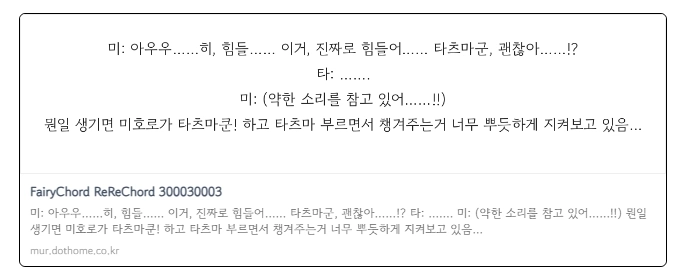
og_image.tarae.php
if ($font && function_exists('imagettftext')) {
    $desc_size = 21;
    $line_height = 35;
    $para_gap = 12;
    // 2. 모든 줄을 미리 계산하여 배열에 저장
$all_paragraphs_lines = array();
$total_line_count = 0;

$paragraphs = $share_desc !== '' ? preg_split("/\n+/", $share_desc) : array();

// 최대 수용 가능한 줄 수 계산 (안전을 위해 넉넉히 설정)
$safe_max_lines = 10;

foreach ($paragraphs as $para) {
    if ($total_line_count >= $safe_max_lines) break;
    $wrapped = tarae_wrap_text($para, $desc_size, $font, $width - $margin * 2, $safe_max_lines - $total_line_count);
    if (!empty($wrapped)) {
        $all_paragraphs_lines[] = $wrapped;
        $total_line_count += count($wrapped);
    }
}

// 3. 전체 텍스트 덩어리의 높이 계산 (세로 중앙 정렬용)
$total_text_height = ($total_line_count * $line_height) + ((count($all_paragraphs_lines) - 1) * $para_gap);

// 4. 시작 Y 좌표 계산 (전체 높이의 중앙)
// imagettftext는 글자의 좌측 하단이 기준이므로 $desc_size를 고려하여 보정합니다.
$current_y = ($height - $total_text_height) / 2 + ($desc_size * 0.8);

// 5. 실제 그리기 루프
foreach ($all_paragraphs_lines as $lines) {
    foreach ($lines as $line) {
        // 가로 중앙 정렬을 위한 X 좌표 계산
        $bbox = imagettfbbox($desc_size, 0, $font, $line);
        $line_width = abs($bbox[2] - $bbox[0]);
        $x = ($width - $line_width) / 2;

        imagettftext($im, $desc_size, 0, (int)$x, (int)$current_y, $desc_color, $font, $line);
        $current_y += $line_height;
    }
    $current_y += $para_gap;
}
} else {
// 폰트가 없는 경우 기본 처리 (기존 유지)
$y = $height / 2;
if ($share_desc) {
imagestring($im, 5, $margin, $y, $share_desc, $desc_color);
}
2. 타래 목록 모바일 최?적화 (폰에서도 읽기 편하게 약간 수정함)
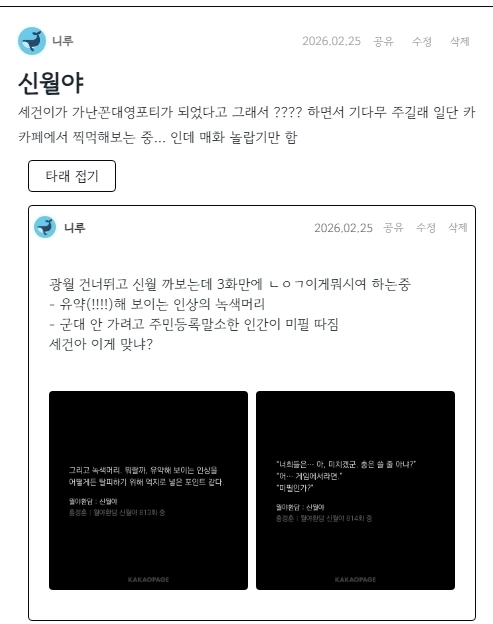
style.css
/* 모바일/작은 화면: 이미지를 무조건 텍스트 아래에 배치, 높이 유동적 */
@media (max-width: 768px) {
.view_article { width: 100% !important; /* 컨테이너 자체에 1200px 잡혀 있어서 이 부분 조정 안 해주면 모바일에서도 1200px 게시판으로 출력됨 */}

/* 본문 바디 영역 */
.log20_tarae_body .has-images {
    display: flex;
    flex-direction: column !important;
    gap: 12px;
    padding-left: 15px; /* 왼쪽 여백 조정 */
    height: auto !important; /* 고정 높이 해제 */
    min-height: 0;
    overflow: visible !important; /* 이미지가 잘리지 않도록 설정 */
}

/* 텍스트 영역: 첫 번째 순서 */
.log20_tarae_body .has-images .log20_tarae_text {
    order: 1;
    flex: 0 0 auto;
    width: 100%;
    max-height: none !important;
    padding-left: 0; /* 모바일에서는 들여쓰기 제거 또는 조정 */
    word-break: break-all; /* 텍스트가 화면 밖으로 나가지 않게 방지 */
}

/* 이미지 영역: 두 번째 순서 */
.log20_tarae_body .has-images .log20_tarae_images_rows {
    order: 2;
    display: flex;
    flex-direction: column; /* 이미지 줄들도 세로로 나열 */
    gap: 8px;
    width: 100%;
    margin-top: 10px;
    flex: 0 0 auto;
    height: auto !important;
    overflow: visible !important;
    justify-content:flex-start;
    align-items: flex-start;
}

/* 타래 바디 영역 */
.log20_tarae_thread_body.has-images {
    display: flex;
    flex-direction: column !important;
    gap: 12px;
    padding-left: 15px; /* 왼쪽 여백 조정 */
    height: auto !important; /* 고정 높이 해제 */
    min-height: 0;
    overflow: visible !important; /* 이미지가 잘리지 않도록 설정 */
}

/* 텍스트 영역: 첫 번째 순서 */
.log20_tarae_thread_body.has-images .log20_tarae_thread_text {
    order: 1;
    flex: 0 0 auto;
    width: 100%;
    max-height: none !important;
    padding-left: 0; /* 모바일에서는 들여쓰기 제거 또는 조정 */
    word-break: break-all; /* 텍스트가 화면 밖으로 나가지 않게 방지 */
}

/* 이미지 영역: 두 번째 순서 */
.log20_tarae_thread_body.has-images .log20_tarae_images_rows {
    order: 2;
    display: flex;
    flex-direction: column; /* 이미지 줄들도 세로로 나열 */
    gap: 8px;
    width: 100%;
    margin-top: 10px;
    flex: 0 0 auto;
    height: auto !important;
    overflow: visible !important;
    justify-content:flex-start;
    align-items: flex-start;
}

/* 개별 이미지 행과 아이템 */
.log20_tarae_images_row {
    display: flex;
    flex-direction: column; /* 한 줄에 이미지 하나씩 나오도록 (선택 사항) */
    height: auto !important;
    justify-content:flex-start;
    align-items: flex-start;
}

.log20_tarae_images_row .log20_tarae_image_item {
    width: 100% !important; /* 이미지 너비를 화면에 맞춤 */
    height: auto !important;
    max-width: 100%;
    margin-bottom: 5px;
}

.log20_tarae_image_item img {
    width: 100%;
    height: auto !important;
    object-fit: contain; /* 이미지가 왜곡되지 않고 전체가 보이도록 함 */
}

}
최적화까진 아닌데 걍 폰에서도 보기 편하게 조금 손대봄
* 클래스 view_article 컨테이너 자체에 1200px 잡혀 있어서 이 부분 조정 안 해주면 모바일에서도 1200px 게시판으로 출력됨 -> width: 100% !important 줬음
3. 타임라인 스타일 사용 시 댓글 갱신하면 최신글로 뜨게 하기
1) 특히 썰타래 게시판 갱신 시 최상위 부모글로 최신글 리스트에 뜨도록 함 <- 이게 목표였음
2) 최신글 갱신하며 달린타래수 보여주기

3) 딸린타래수 리스트에서 우하단에 보여주기

4) 왜인지 목록으로 돌아가기 버튼 동작 안 해서 고침
수정 내역
// $list_href 변수가 없을 경우 직접 생성하도록 함
if (!isset($list_href) || !$list_href) {
    $list_href = G5_BBS_URL.'/board.php?bo_table='.$bo_table.$qstr;
}
목록으로 돌아가기 버튼이 주소를 못 받아오길래 걍 파일 상단에 알아서 채우라고 코드 챙겨줌,, 터덜,,, 이런 수정이 맞나? 근데 동작은 하게 됐어.
4. 타래 갱신 시 어디에 최신글 달렸는지 표시

수정 내역
1. list.tarae.skin.php 에서 실제로 화면에 글을 뿌려주는 반복문 안에 최신글 여부 확인 로직 추가
<?php if (count($list) > 0) { ?>
    <div class="log20_list_tarae_area" id="log20_list_tarae_area">
        <?php foreach ($list as $item) {
            // 1. 현재 루프 중인 글의 ID 정의 (Warning 방지)
            $item_id = (int)$item['wr_id'];

            // 2. 최신 타래 여부 확인 로직
            $is_new_tarae = false;
            $new_limit_hours = 24; // 24~48시간 중 설정 가능

            if (isset($tarae_threads[$item_id]) && !empty($tarae_threads[$item_id])) {
                // 상단에서 정리된 타래 배열 중 마지막 글(최신글)을 확인
                $last_thread = end($tarae_threads[$item_id]);
                reset($tarae_threads[$item_id]); // 포인터 초기화

                $last_thread_time = strtotime($last_thread['wr_datetime']);
                if (G5_SERVER_TIME - $last_thread_time < $new_limit_hours * 3600) {
                    $is_new_tarae = true;
                }
            }

            // 나머지 출력용 변수들
            $content_id = 'tarae_content_' . $item_id;
            // ... (기존 코드들) ...
?><div class="log20_tarae_footer">
// 새로고침 아이콘 뒤에 추가
<?php echo ($is_new_tarae) ? '<span class="tarae_new_badge" title="최신 타래 등록" style="display: inline-block; font-size: 12px; color: #e91e63; margin-left: 5px; font-weight: bold;">New!</span>' : ''; ?>
</div>5. 감상 타래 스킨에 타래 갯수 추가
수정 내역
쫌쫌따리 하나씩 자꾸 추가하게 되네... 흠냐 물론 오리지널일 때도 잘 썼는데 말입니다 쓰다보면 나한텐 이게 필요하다 싶은게 하나씩 보여서 그만...
그냥 어떤 곳에 내가 타래를 얼마나 달았는지 확인하고 싶어서 개수 세어서 표시해주게만 추가함. 첨에 타래 로딩할 때만 세는 거라 타래 열었다 접으면 안 보이게 됨... 근데 뭐 이것까지 살릴 필욘 없어서 걍 냅두기로... 귀찮음...
<?php echo isset($tarae_threads[(int)$item['wr_id']]) ? '<span style="font-size:0.75em; margin-left:2px;">('.count($tarae_threads[(int)$item['wr_id']]).')</span>' : ''; ?>이 녀석을 원하는 곳에 넣음 된다
span 태그 style 안을 수정하면 스타일 수정도 가능한데 난 폰트 사이즈랑 왼쪽 여백 정도만 설정함
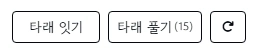
나는 타래 풀기 버튼 옆에 넣었음
<button type="button" class="log20_tarae_footer_btn log20_tarae_toggle_btn" data-toggle="tarae-thread-<?php echo (int)$item['wr_id']; ?>">타래 풀기<?php echo isset($tarae_threads[(int)$item['wr_id']]) ? '<span style="font-size:0.75em; margin-left:2px;">('.count($tarae_threads[(int)$item['wr_id']]).')</span>' : ''; ?></button>- 이전글모바일에서 기본 햄버거 메뉴 버튼 없애기 26.03.15
- 다음글썰타래 게시판 마개조 기록(2) : 최신순 정렬 26.04.11
댓글목록
등록된 댓글이 없습니다.